BTLO Challenge: https://blueteamlabs.online/home/challenge/network-analysis-malware-compromise-e882f32908
Scenario
A SOC Analyst at Umbrella Corporation is going through SIEM alerts and sees the alert for connections to a known malicious domain. The traffic is coming from Sara’s computer, an Accountant who receives a large volume of emails from customers daily. Looking at the email gateway logs for Sara’s mailbox there is nothing immediately suspicious, with emails coming from customers. Sara is contacted via her phone and she states a customer sent her an invoice that had a document with a macro, she opened the email and the program crashed. The SOC Team retrieved a PCAP for further analysis.
Tools Used
- Wireshark to analyze what malicious communications are performed.
- OSINT for gathering specific information about the malware.
Q&A
Q-1. What’s the private IP of the infected host?
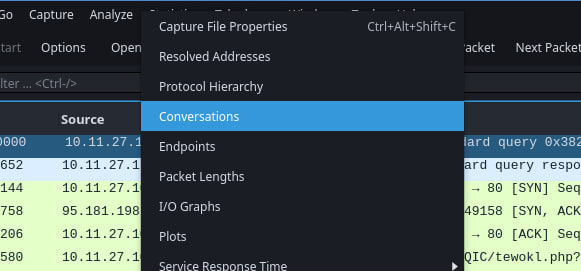
On Wireshark, I usually start by analyzing the summary of the conversations. You can check it at Statistics > Conversations, this actually saves you time from scrolling the packets one by one before knowing what’s going on the PCAP.
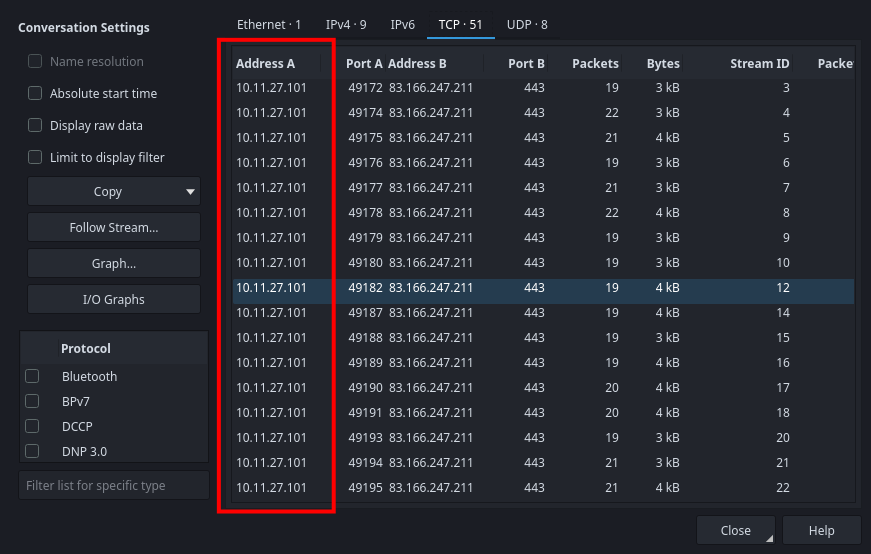
Looking at TCP · 51 section, we see that one private IP is issuing those outbound connections. That would be the answer for this task.
Q-2. What’s the malware binary that the macro document is trying to retrieve?
Now that we know that private IP 10.11.27.101 is the infected one. To find what macro document is trying to retrieve, we should first look at what protocol (HTTP, SSH, FTP, or etc) is used to download the malware binary.
To see that, we can look at Statistics > Protocol Hierarchy:
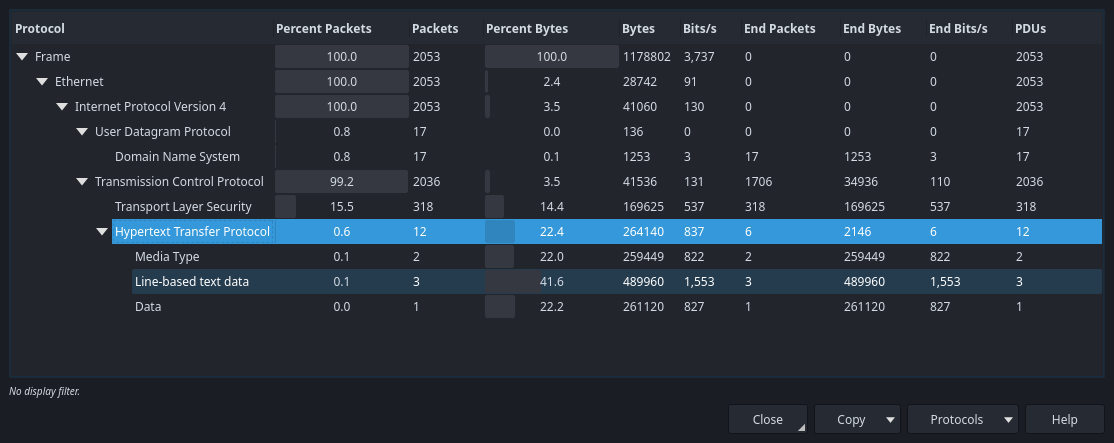
There is only HTTP protocol is present, so we can apply the search filter to see HTTP requests along with the infected IP 10.11.27.101 the find what file was downloaded:
ip.src == 10.11.27.101 && http
To be more precise, you can replace HTTP search filter with http.request.method == GET to see only retrieved data. This can help if you’re on analyzing large & messy PCAP.
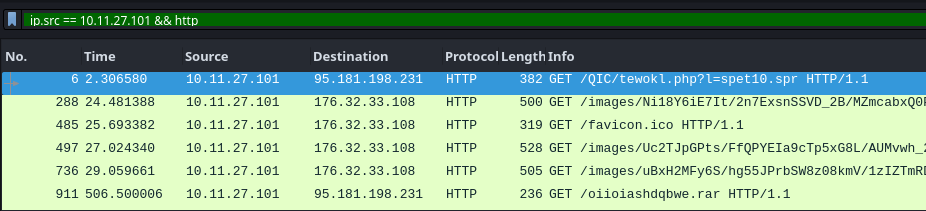
There’re interesting lines we see there, and we see that the first line seems to be a malicious file is being retrieved. And that file would be the answer for this task.
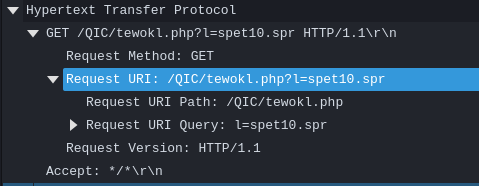
Q-3. From what domain HTTP requests with GET /images/ are coming from?
I stayed on the same search filter, but focused on searching HTTP GET requests that contains /images/. If we expand any of that packets details in the panel, we can see that there’s Host information:
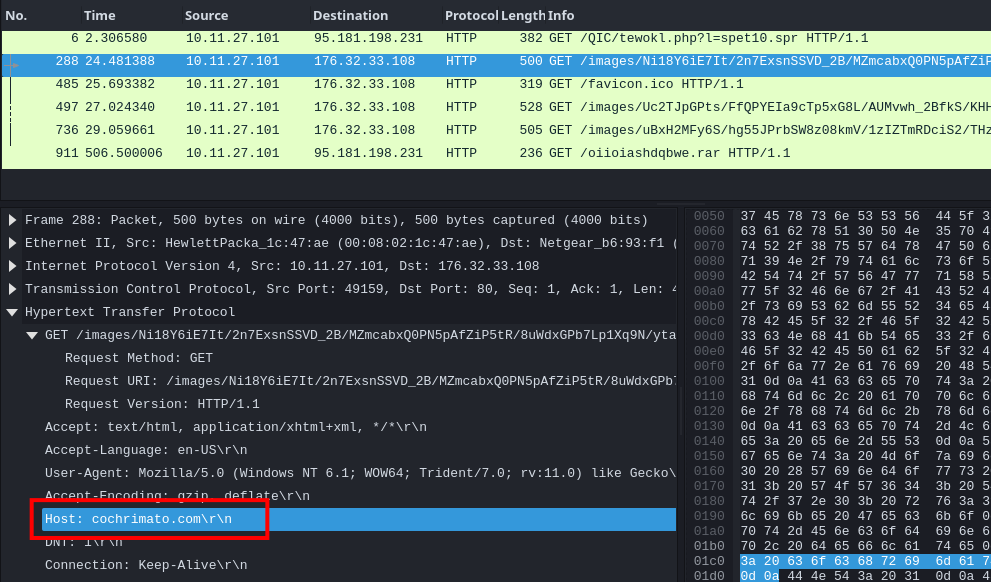
That host name URL would be the answer for this task.
Just a quick fact: Notice that the HTTP requests for images were a different IP address 176.32.33.108.
Q-4. The SOC Team found Dridex, a follow-up malware from Ursnif infection, to be the culprit. The customer who sent her the macro file is compromised. What’s the full URL ending in .rar where Ursnif retrieves the follow-up malware from?
This indicates that the security team found the malware was Dridex, which primarily caused by Ursnif infection. So, I researched about this attack to find out the attacker’s goal.
AI-info | using Brave's search
Ursnif (known as Dreambot, Gozi or ISFB) is an information-stealing trojan that primarily infects systems via malspam campaigns using password-protected ZIP attachments containing Word documents with malicious macros. Once executed, it establishes persistence in the Windows registry and often acts as a loader, downloading additional follow-up malware such as Dridex, IcedID, or TrickBot.
Dridex (known as Bugat or Cridex) is a banking trojan designed to steal financial credentials, keystrokes, and browser data through man-in-the-browser attacks. It is frequently delivered as a second-stage payload by Ursnif or Emotet, using DLL files and registry entries to maintain persistence while connecting to distributed peer-to-peer botnets for command and control.
What we need to find now is the full URL of malicious .rar file. I stayed in the same search filter as the previous one, and we can see that there’s a packet containing /oiioiashdqbwe.rar:
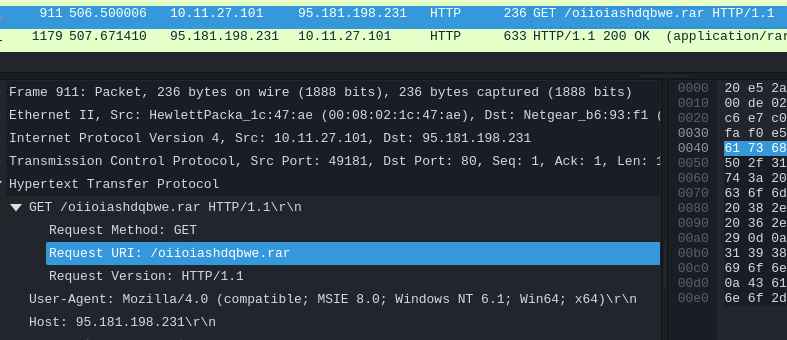
We know that the protocol used was http, the host was 95.181.198.231 and the retrieving file was oiioiashdqbwe.rar. So, if put altogether into a full URL format, we’ll get the answer for this task:
http://95.181.198.231/oiioiashdqbwe.rar
Q-5. What is the Dridex post-infection traffic IP addresses beginning with 185.?
I changed the search filter to see any IP addresses related to 185.:
# Using /8 subnet mask to cover all addresses from 186.0.0.0 to 186.255.255.255.
ip.src == 10.11.27.101 && ip.dst == 185.0.0.0/8
Looking at the results, we see different IP addresses starting with 185.:
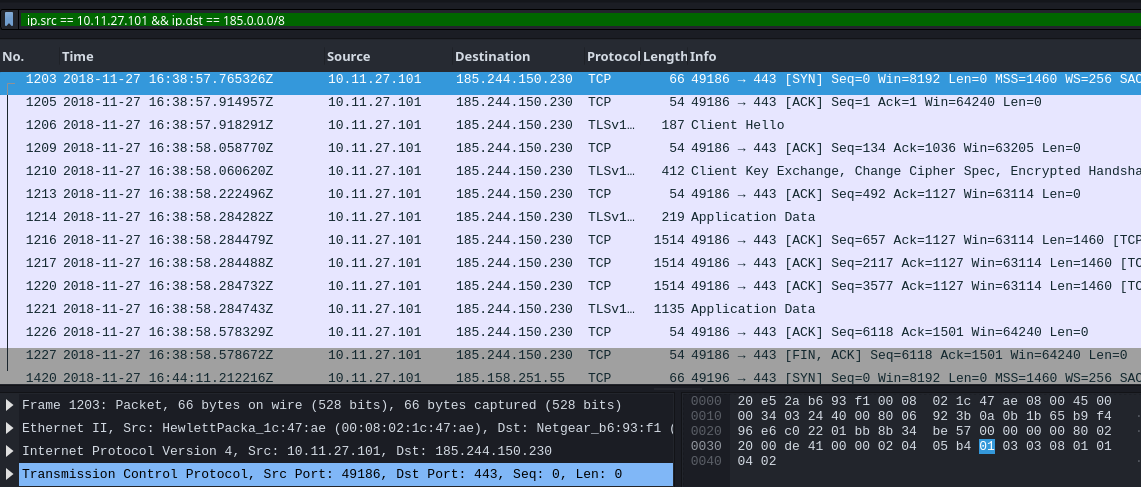
I didn’t sure which one was the Dridex post-infection IP address. So, I tried doing a simple time-based analysis.
- Looking back the .rar file downloaded time, it was 16:38:39.38345
- If we look at this current search filter, there was a TLS session created at 16:38:57.765326.

These two looks related to the infection and I tried putting the that IP 185.244.150.230 as the answer, which it was correct.
Just to consider, this simple method won’t be ideal if the malware has sleep functions and such, but we would have more artifacts in the relevant scenarios.