Overview
BFT lab is a very easy level, Sherlock/defensive challenge and is about Master File Table (MFT) forensic within NTFS filesystem. A user named Simon Stark was targeted by attackers on Feb 13, downloading a malicious ZIP via email by phishing attack.
We are tasked to analyze the MFT image file to trace sources, find out how malicious ZIP is nested and recover a stager file that executed a PowerShell payload connecting to C2 server.
Tools used
- Eric Zimmerman’s Tools: a powerful Windows forensics utitlies. I used it to parse Master File Table ($MFT) and analyse logs in a timeline.
- ImHex: to analyse memory using Hex editor.
- CyberChef: to decode hex offsets.
Initial analysis
Sherlock Scenario
In this Sherlock, you will become acquainted with MFT (Master File Table) forensics. You will be introduced to well-known tools and methodologies for analyzing MFT artifacts to identify malicious activity. During our analysis, you will utilize the MFTECmd tool to parse the provided MFT file, TimeLine Explorer to open and analyze the results from the parsed MFT, and a Hex editor to recover file contents from the MFT.
Tools Used:
- MFTECmd
- TimeLine Explorer
- HxD Hex Editor
MFTECmd.exe -f "C:\Users\CyberJunkie\Desktop\C\\$MFT" --csv "C:\Users\CyberJunkie\Desktop\" --csvf MFT_ANALYSIS.csvThe above command processes the MFT file located in “C:\Users\CyberJunkie\Desktop\C” and creates a CSV file named MFT_ANALYSIS.csv on the Desktop of the user CyberJunkie.
Note: You will need to replace the file paths with your own.
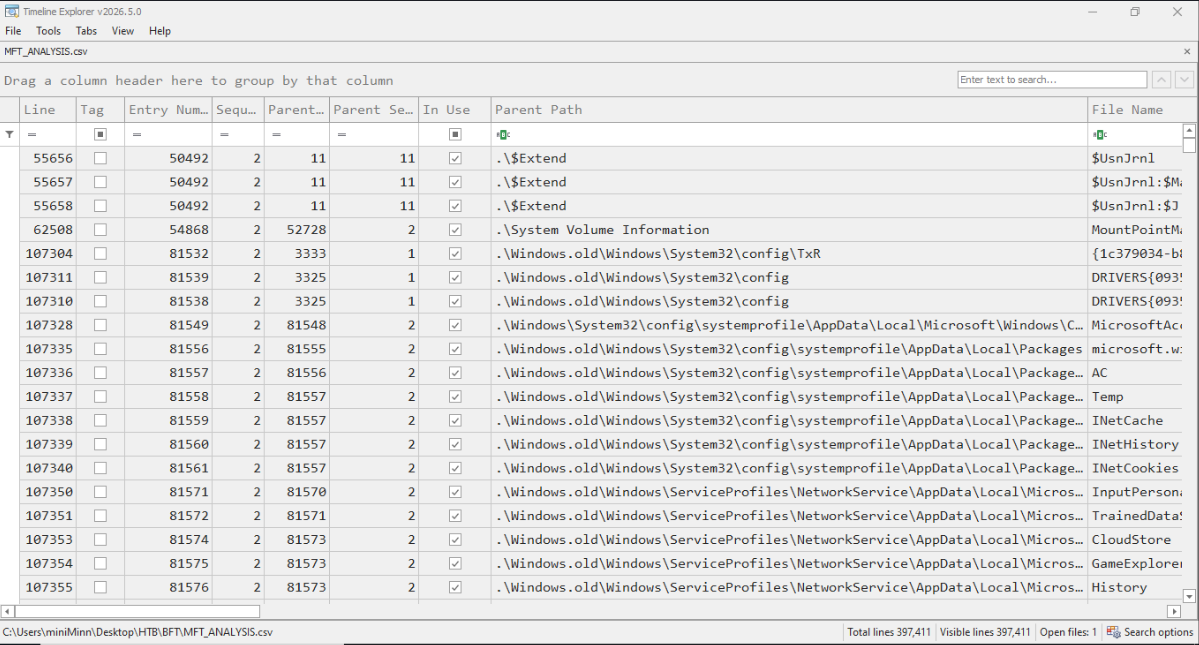
Next, open the CSV file in TimeLine Explorer to begin your analysis.
Zimmerman tools setup
Note
Just a quick note that some zimmerman programs like MFTECmd, EvtxECmd and RECmd are cross-platform that can also run on Linux, but programs like TimelineExplorer, RegistryExplorer and EventLogExplorer are Windows-only programs. So, you might need to setup Windows VM or Windows environment.
Before beginning the analysis, I setup the tools to use them as the scenario described. The Zimmerman tools are recommended to use .NET 9 framework, I installed all the dependencies to run them properly:
# installing dependencies
yay -S dotnet-runtime-9.0 powershell-bin
Then, I downloaded Get-ZimmermanTools.zip that contains a PowerShell script to automatically download all Zimmerman tools.
unzip Get-ZimmermanTools.zip
cd ZimmermanTools

# run the script to automatically download all tools
pwsh -File ./Get-ZimmermanTools.ps1 -Dest ./ -NetVersion 9
cd net9
Next, you can run any of these the programs using .NET 9 framework on any Linux systems as shown below:
dotnet MFTECmd.dll -f "/path/to/$MFT" --csv "/output/path" --csvf "mft_results.csv"Q&A
T-1. Simon Stark was targeted by attackers on February 13. He downloaded a ZIP file from a link received in an email. What was the name of the ZIP file he downloaded from the link?
First, I convert the $MFT (Master File Table) raw file into CSV file, so we’ll be able to analyse the memory logs in human readable format.
MFTECmd.dll -f "/path/to/$MFT" --csv "/output/path" --csvf "mft_results.csv"When we get the CSV file, we can open it in TimelineExplorer.exe to start the analysis:
The task asks